
To review and accept invitations from brands, follow these steps:
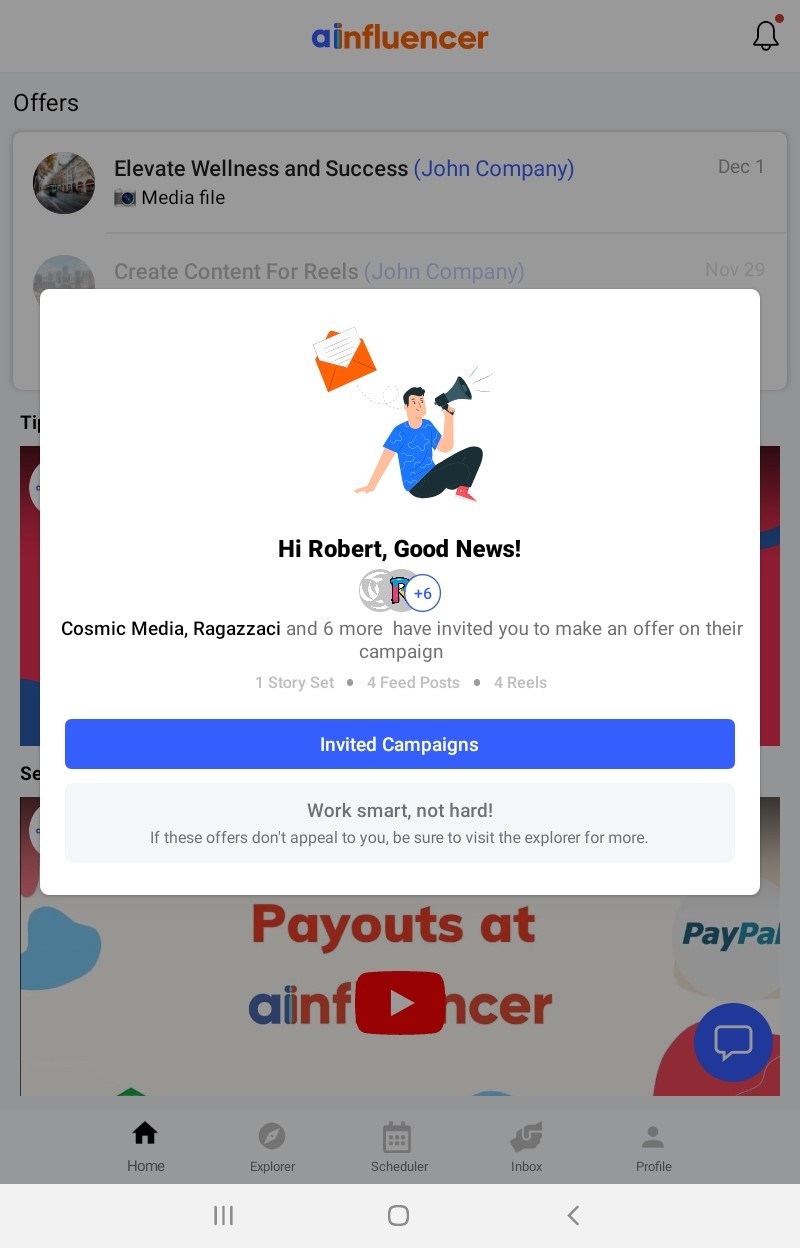
- Home Screen Pop-Up: On the mobile app, go to the Home section. A pop-up will appear, displaying the brands that have invited you to submit an offer for their campaigns. This is where you’ll find all active invitations.
- Navigate to the ‘Invited To’ Tab: For a complete list of invitations, navigate to the “Invited To” tab in the upper navigation bar. This tab will display all the campaigns that brands have specifically invited you to join.
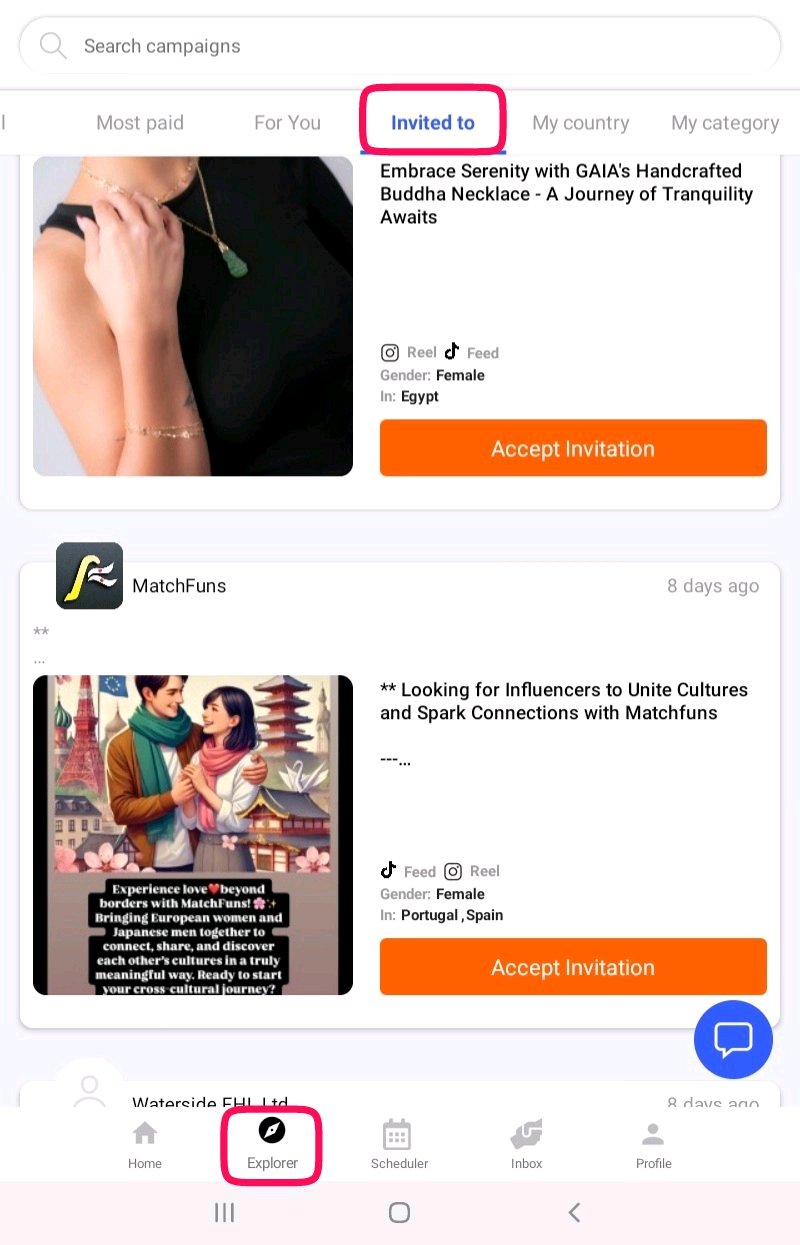
- Review Campaign Details: In the ‘Invited To’ tab, you’ll see a list of campaigns with key details, including the brand’s goals, desired content, and specific requirements. Review these to ensure they match your niche and interests.
- Make Your Decision: After reviewing, decide whether to accept the invitation. If you’re interested, click on the campaign to proceed.
- Accept the Invitation: Once you’re ready, submit an offer to the brand based on the campaign’s terms and your audience’s engagement.
Why an invitation is worth opening first
An invitation means a brand has already looked at your profile and wants you specifically. You are not competing against a pile of cold offers, so the odds on an invitation are far better than on anything you send yourself.
Important
An invitation is not a deal and not a payment. You still send an offer with your price and date, the brand still accepts it, and they still have to pay before anything is held for you. Do not start creating on the strength of an invitation.
What happens after you accept
Step 1
You send your offer
Price and delivery date
›
Step 2
Brand accepts
Status becomes Waiting Payment
›
Step 3
Brand pays
Money goes into escrow
›
Step 4
You post and submit
Then they approve and you are paid
Read the brief before you reply
The deliverable. A reel is not a story and is not a feed post.
Whether a product is shipped to you, and whether you want it.
The date. Offer one you can genuinely hit.
The country targeted. An invitation does not override a mismatch here.
Good to know
Reply even when you decline. A short, polite no keeps you in mind for the next campaign, and brands on Ainfluencer invite the same creators repeatedly.
You can be invited to and offer on as many campaigns as you like at the same time. See applying to multiple campaigns.
Why this helps you
Invitations are the return on a properly filled-in profile. Categories, country, languages and current insights are exactly what a brand filters on to build the list you appear in.