
Once your campaign is live on Ainfluencer, influencers can review it and send you offers. Follow these steps to view and manage these offers:
Access the Offers Section
1. Log in to your Ainfluencer account.
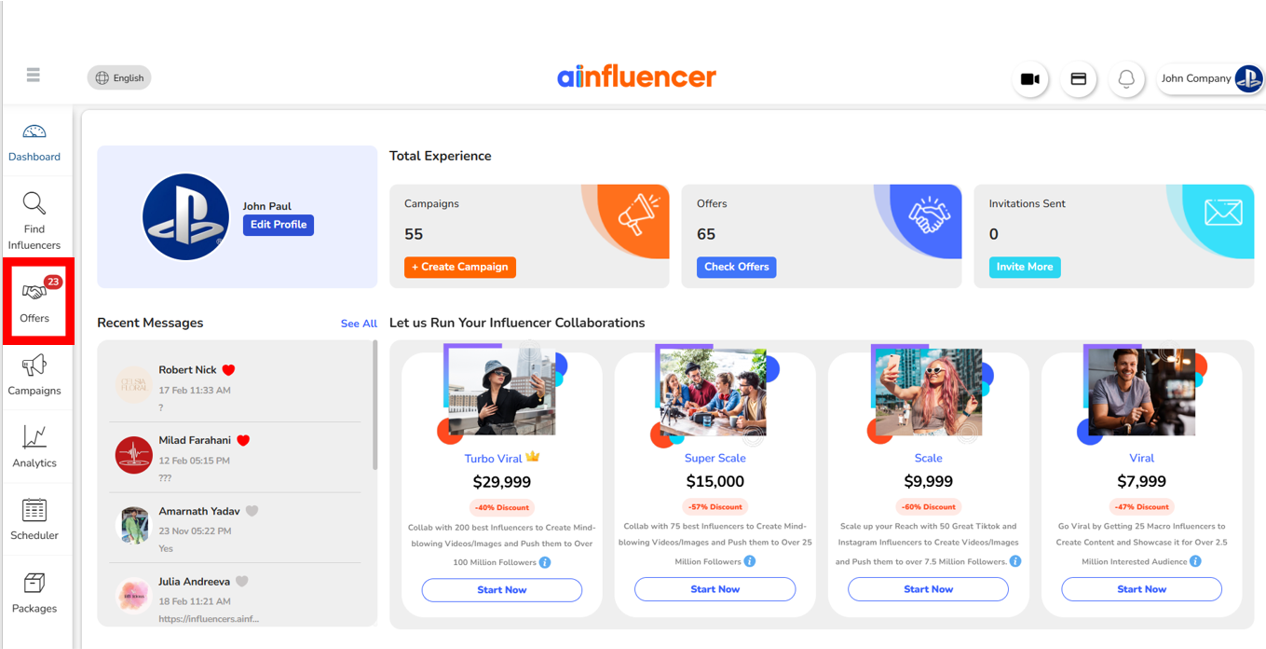
2. Go to the Offers section on your dashboard. This is where all the offers from influencers will appear.
Review Offers
3. Browse through the list of offers submitted by influencers.
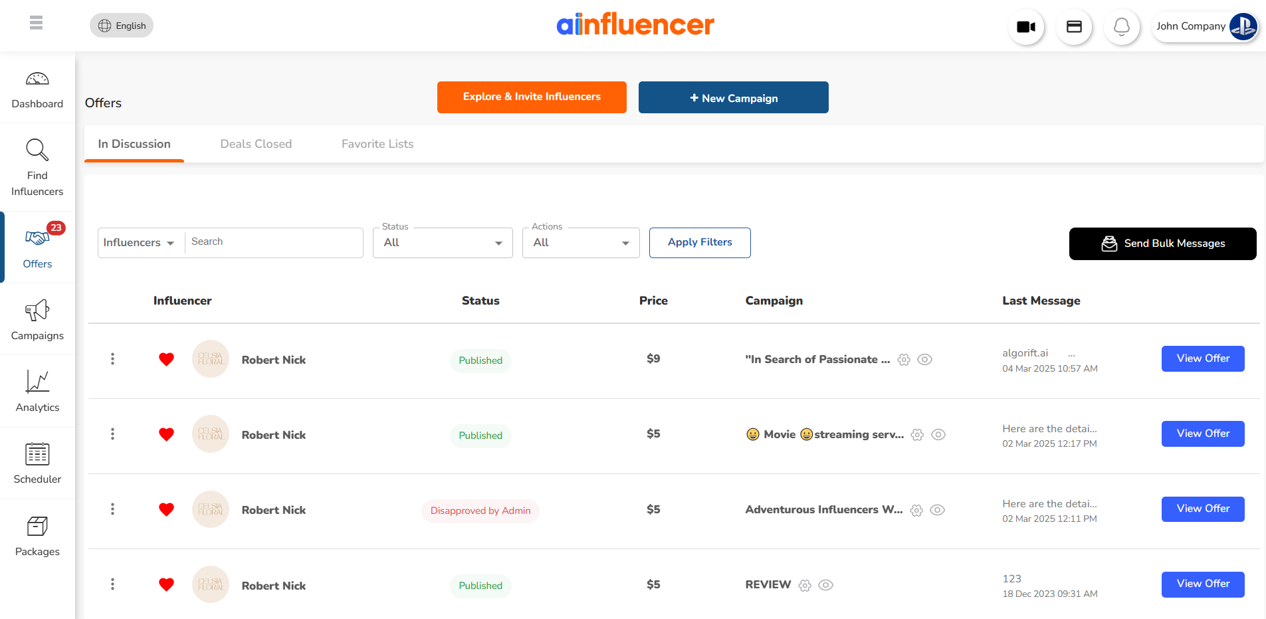
4. Each offer includes details such as the influencer’s price, proposed content plan, and expected delivery date.
Take Action
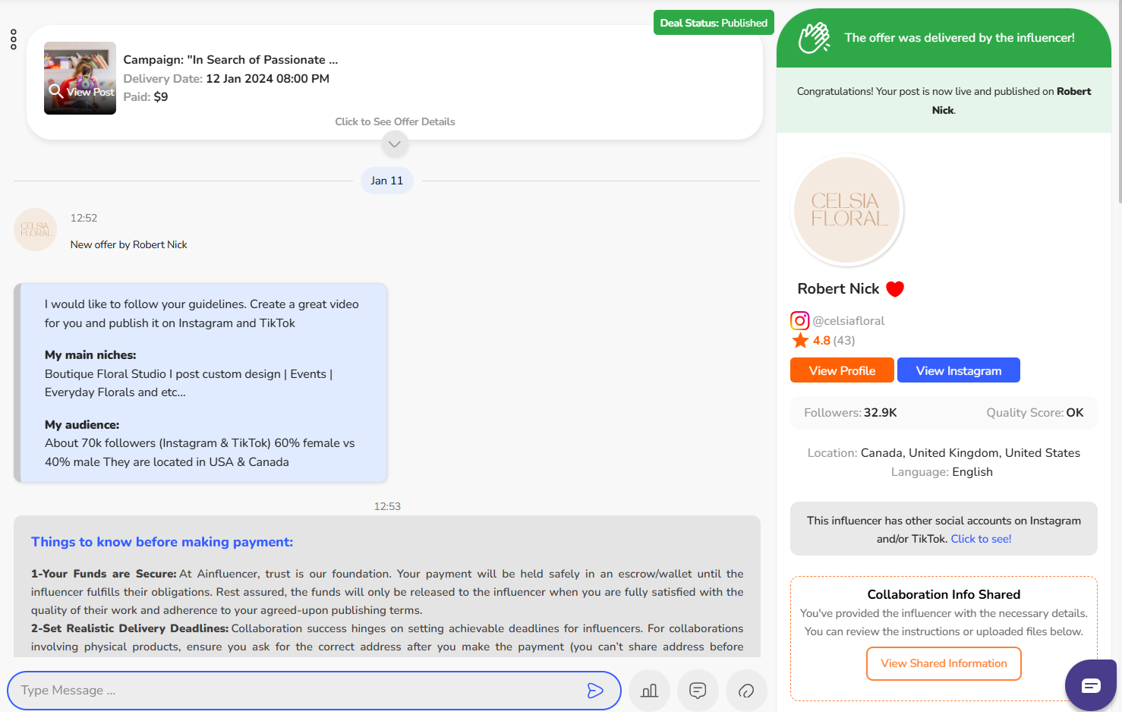
5. If the offer aligns with your campaign goals, you can approve it to move forward with the collaboration.
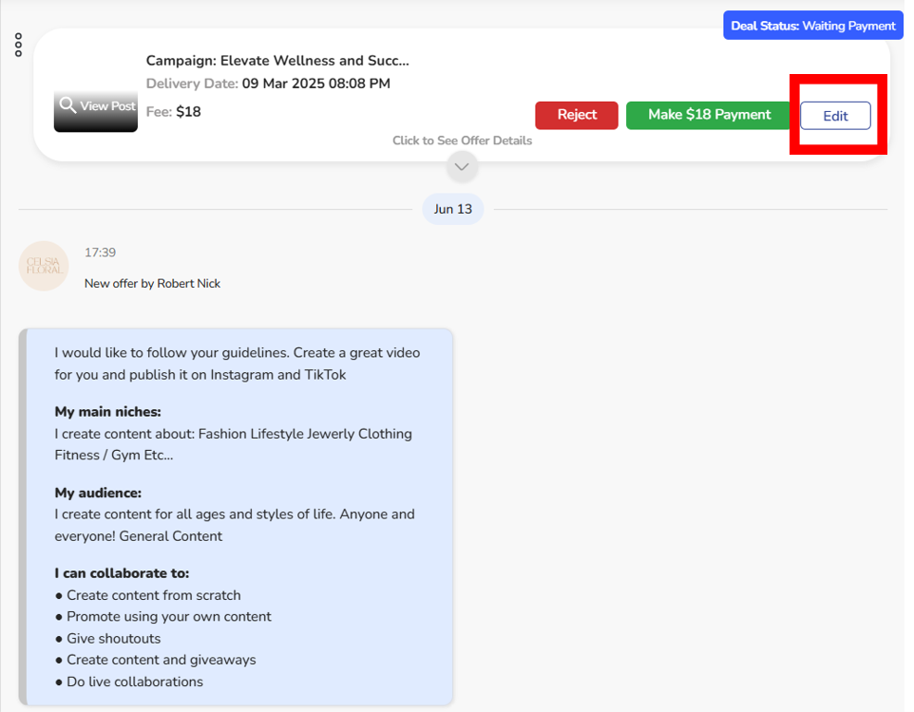
6. If adjustments are needed, use the Edit Offer option to propose changes to the terms, such as pricing or deadlines. Influencers will have the option to accept or reject your modifications.
Communicate with Influencers
7. Use the chat feature to discuss any specifics of the offer, clarify expectations, or negotiate further.
By efficiently managing your offers, you can select the best influencers to drive the success of your campaign.
Note: To prevent account suspension on Ainfluencer, always follow platform guidelines. Avoid requesting payments outside the marketplace, keep all communication within Ainfluencer, and refrain from sharing contact details (Email or social media IDs) before the deal is made. Ensure your offers align with campaign requirements and do not send irrelevant proposals. Lastly, do not advertise or promote other influencer platforms.
Related Questions:
1. How to negotiate campaign terms, deadlines, and content requirements?
2. How to approve or reject content submissions?
3. How to attract more offers from your target influencers?
| Setting | Who can offer | When to use it |
|---|---|---|
| Allow all influencers | Anyone who finds your campaign | Most of the time. More offers means more choice |
| Only invited influencers | Only people you invite | A closed or sensitive campaign, or when you already know who you want |
You can switch between these at any time from the campaign card, and unlike most edits it takes effect immediately and does not send the campaign back for review.