
Want to know how to sort all offers you receive from different influencers? Follow these simple steps to make it happen.
1. Head over to the “Offers” tab, to see all the negotiations.
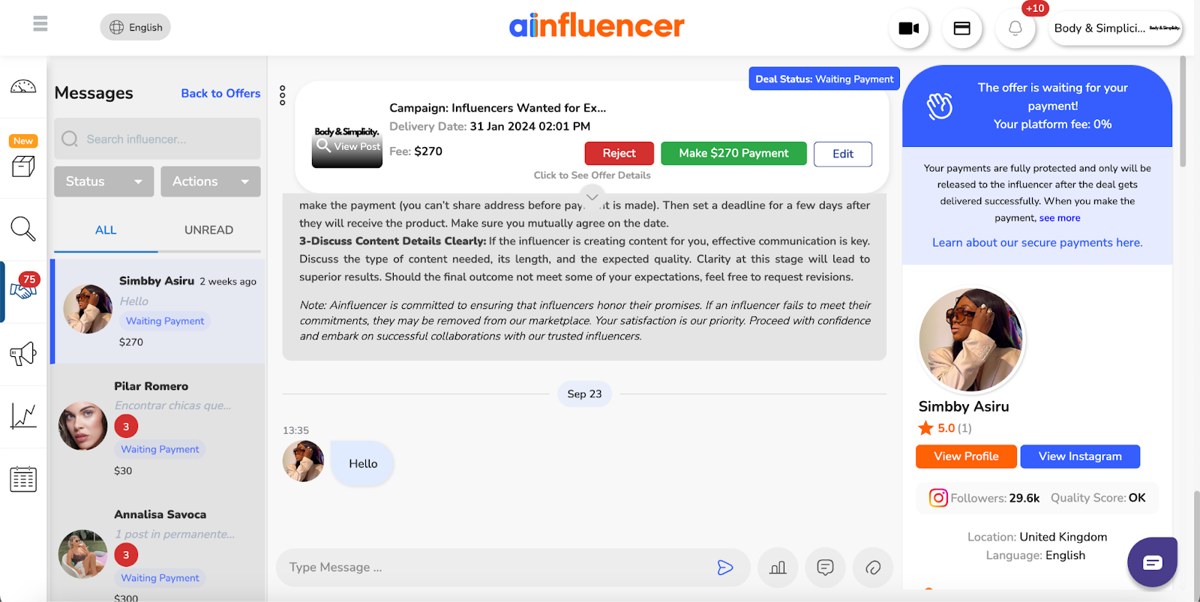
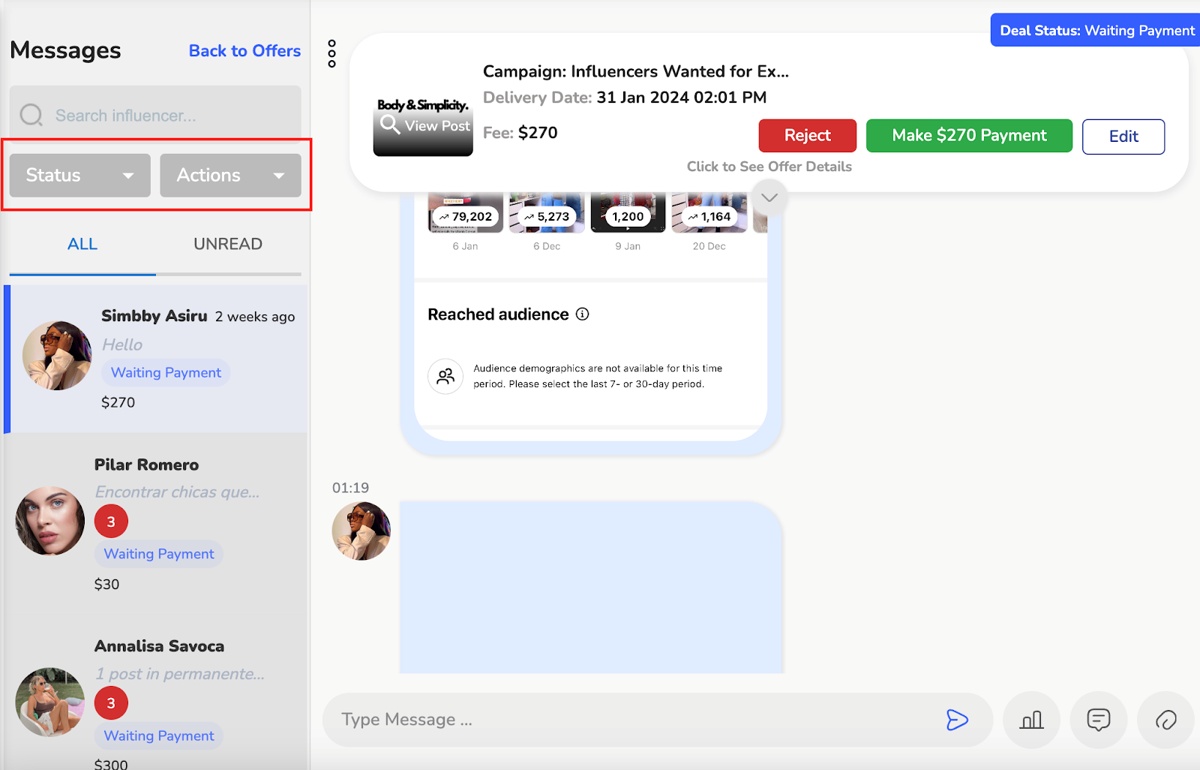
2. Sort offers based on their status and the actions you have taken so far.
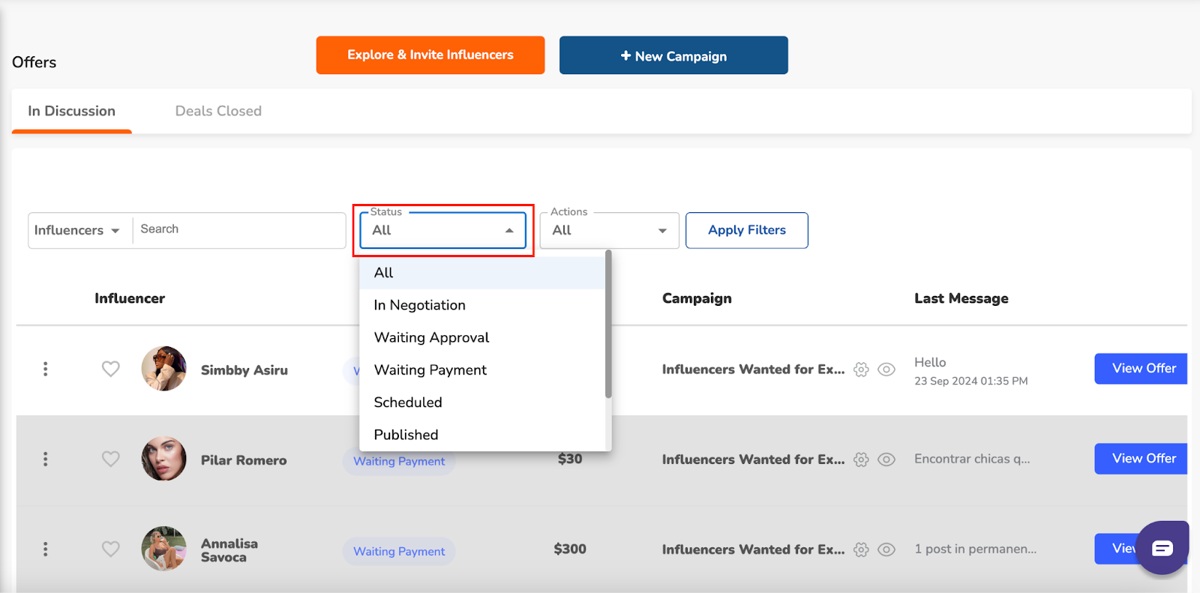
3. Filter by clicking on the status dropdown menu to discover some options.
4. You’ll find categories such as “In Negotiation,” “Waiting Approval,” “Waiting Payment,” “Scheduled,” “Published,” “Failed,” and “Rejected.”
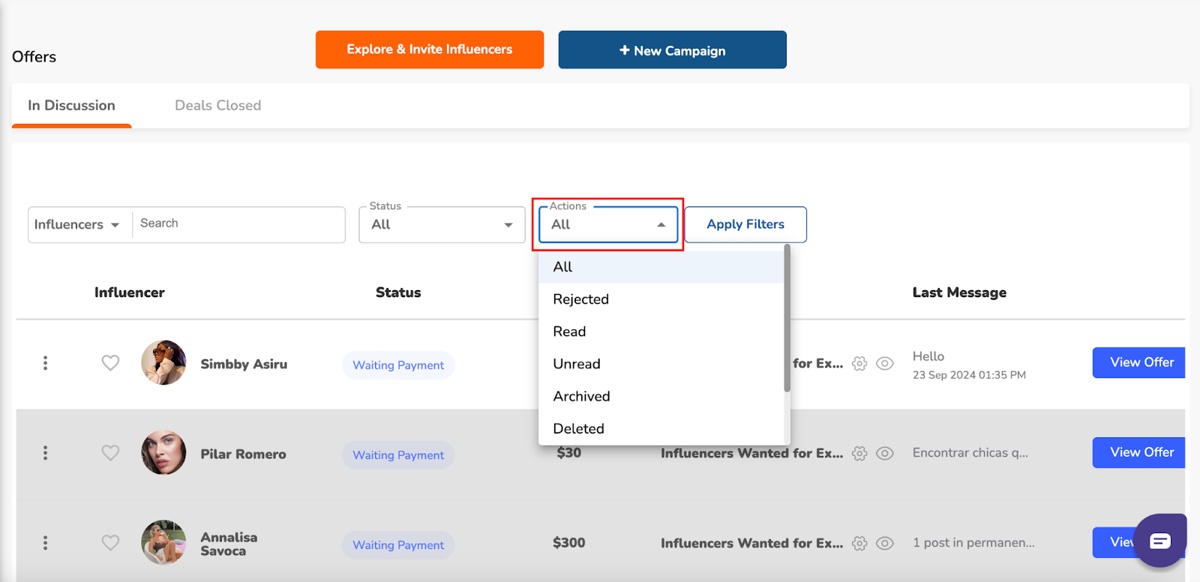
5. The actions dropdown menu helps you find influencer chats by actions like “Read” or “Unread.”
6. You can also access archived chats, or bring to the surface chats that have been rejected, deleted, flagged, spam, or blocked.
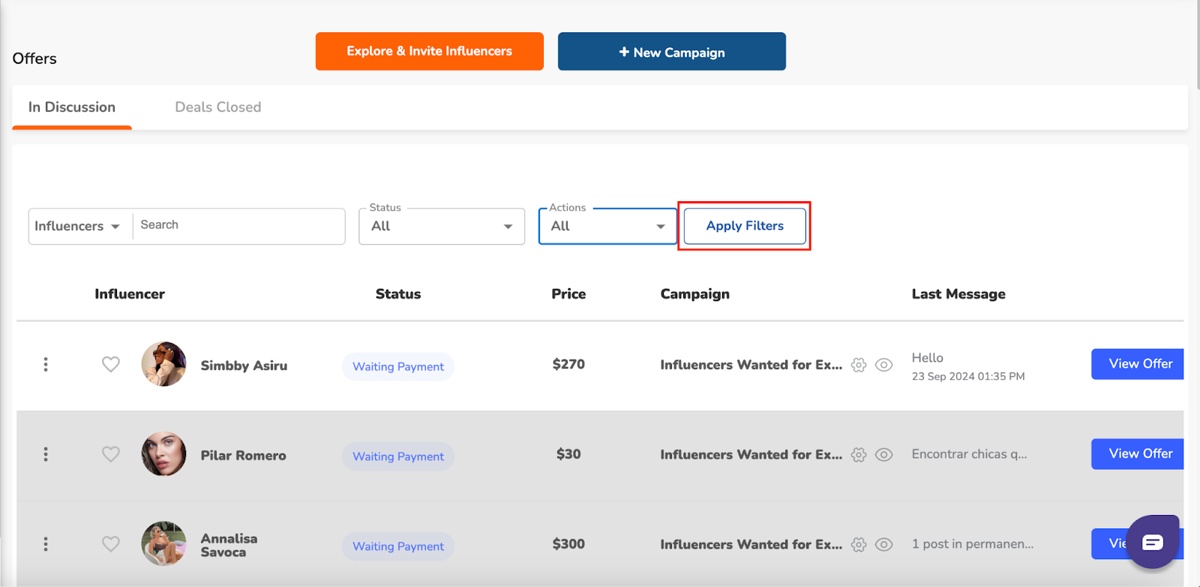
7. After making your selections, remember to click “Apply Filters” to see the results shaped by your preferences.
8. In your chat with an influencer, use the status or actions dropdown for easy filtering options.
And that’s it! Managing and sorting influencer offers is easy with these steps.
Related Question:
1. How to Send Photos and Videos Over Chat?
2. How to Download the Content Created by Influencers?
3. How to Create a Chat Template on Ainfluencer’s Chat?