
There might be times when you need to send an offer to several influencers or one in particular, but you want to change a few of your terms. In this case, you will need to edit your offers. Fortunately, this is possible with a simple few steps. Here’s how:
1. Open the Ainfluencer web application and go to your profile.
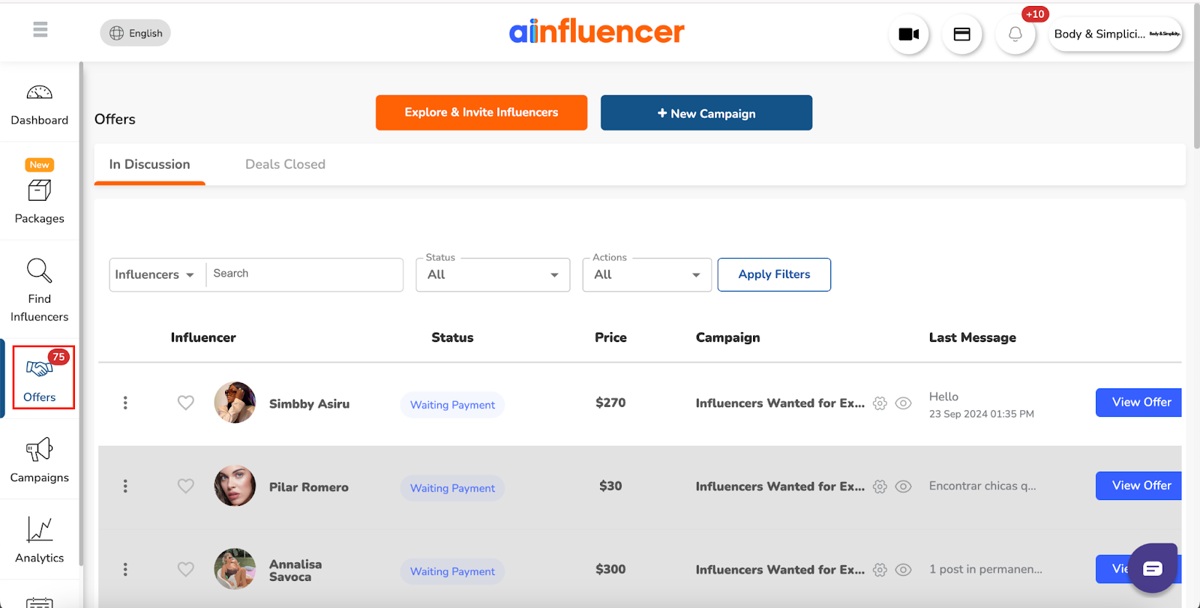
2. Head over to the “Offers” tab.
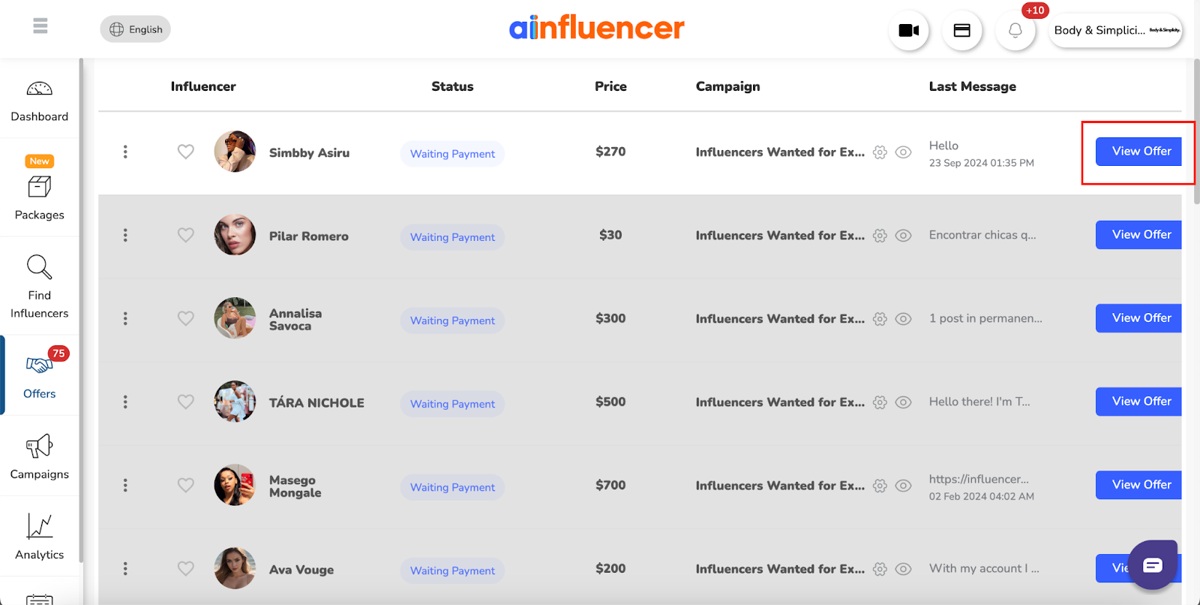
3. Click on “View Offer”.
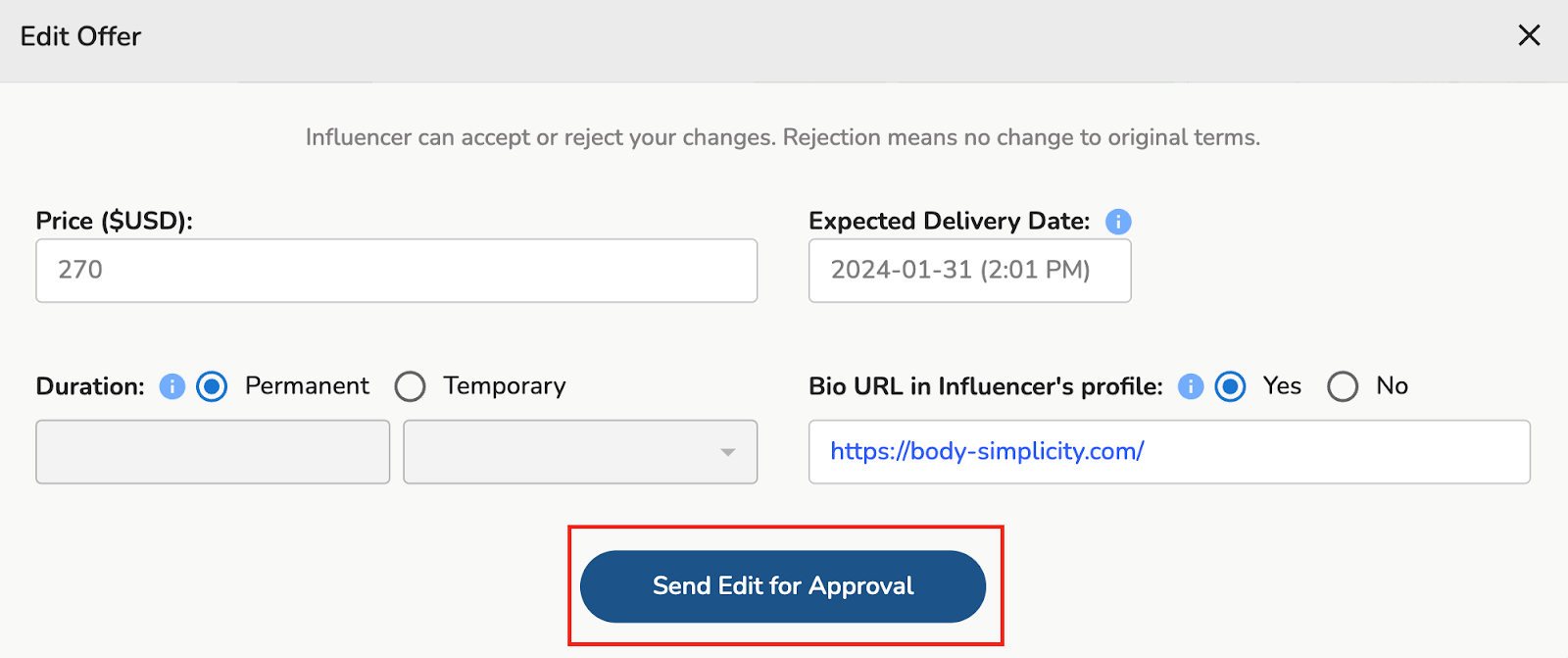
4. Select “Send Edit for Approval” to make any changes.
And that is it! With just four steps, you can make changes to the offers sent to your target influencers.
Related Questions:
1. How to Sort and Filter Conversations with Influencers?
2. How to Pay Influencers from Your Wallet?
3. How to Leave a Review and Ratings for Influencers?
4. How Can I Set the Gender of My Influencer?
5. Can I Set Affiliate Marketing Campaigns?
6. Can I Select Multiple Languages or Multiple Countries for My Target Influencers?
7. Is It Possible to Change Your Email After Completing the Sign-up Process?